Elegant Leaf Wreaths for Wedding Invitations & Stationery
There’s a moment in every design project when you realize the smallest detail carries the most weight. For wedding stationery, that detail is often the decorative frame surrounding the couple’s names—a leaf wreath that sets the tone for the entire celebration. Whether you’re designing invitations for a garden ceremony, a rustic barn reception, or an elegant black-tie affair, the right botanical illustration transforms a simple card into a keepsake.
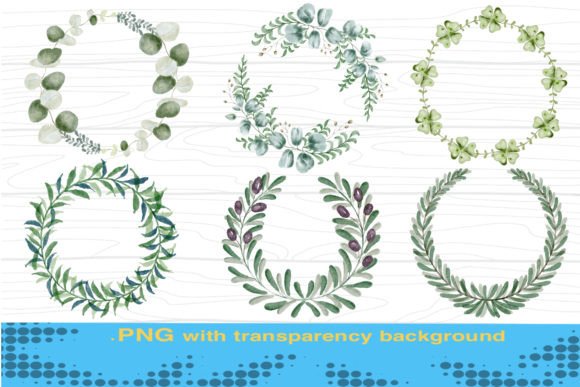
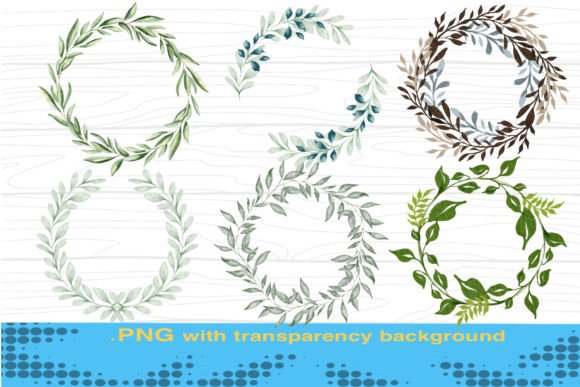
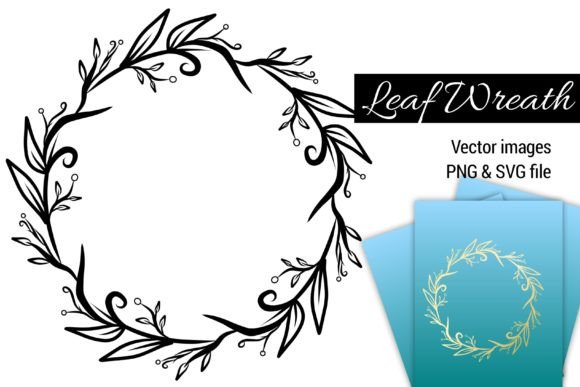
What we’re looking at here is a collection of leaf wreath designs specifically crafted for wedding card invitations, available as both PNG files with transparent backgrounds and scalable SVG vectors. At 2000x2000 pixels, these aren’t throwaway graphics—they’re high-resolution assets built for professional output, whether you’re printing at home, sending files to a commercial printer, or building digital layouts for online invitations and save-the-dates.
Why Vector Format Changes Everything
If you’ve ever tried to resize a raster image for a project and watched it pixelate into a blurry mess, you already understand why SVG files matter. Vector-based leaf wreaths maintain crisp edges at any size. You can scale them down for a delicate accent on a menu card or blow them up for a welcome sign at the venue entrance, and every curve stays sharp.
The recolorable nature of these vectors adds another layer of flexibility. Say your client has chosen dusty rose and sage green as their wedding palette. Instead of hunting for a wreath that matches exactly, you open the SVG file, adjust the fill colors, and you’re done in minutes. This kind of adaptability is what separates a good designer from one who spends hours searching for the “perfect” pre-made asset.
For anyone working in editorial design or packaging design, this same principle applies. A leaf wreath that frames a wedding invitation can just as easily frame a product label, a social media quote graphic, or the header of a blog layout. The file format doesn’t limit you to one use case.
Practical Applications Beyond Wedding Stationery
Wedding invitations might be the starting point, but these botanical wreaths extend into dozens of creative projects. Here’s where designers, small business owners, and content creators regularly put them to work:
- Brand identity materials – Florists, event planners, and boutique hotels often incorporate organic wreath elements into their logos, business cards, and letterheads. A leaf wreath adds warmth without feeling overly feminine or dated.
- Social media graphics – Instagram posts, Pinterest pins, and Facebook headers benefit from botanical framing. Use the transparent PNG to layer over photos or solid backgrounds for consistent, on-brand content.
- Digital products – If you sell printable planners, wall art, or journal templates on Etsy or Creative Market, a well-placed wreath elevates the perceived value instantly.
- Packaging and merchandise – Think candle labels, soap wrappers, tea packaging, or tote bag prints. Organic illustrations resonate with consumers who gravitate toward natural, artisanal brands.
- Web design and blogs – Hero images, About page headers, and sidebar accents all benefit from a subtle botanical touch. The SVG format ensures these elements load cleanly on retina displays.
- Print materials – Flyers, posters, thank-you cards, and certificates gain a refined, handcrafted quality with leaf wreath accents. The 2000x2000px resolution handles large-format printing without breaking a sweat.
The key is recognizing that a single design asset can serve an entire brand ecosystem. You’re not buying a one-trick graphic—you’re investing in a versatile element that travels across platforms and mediums.
Matching Botanical Style to Project Goals
Not every leaf wreath communicates the same message. A loose, hand-drawn style with irregular edges suggests warmth, authenticity, and a DIY spirit—perfect for bohemian weddings or indie brands. A symmetrical, tightly composed wreath with clean lines reads as polished and formal, better suited to luxury events or high-end product lines.
Before you commit to a particular wreath design, ask yourself a few questions:
- What emotion should this project evoke? Romantic, rustic, modern, minimal?
- Who is the audience? A couple planning a vineyard wedding has different expectations than a corporate event planner.
- Where will this appear most? A wreath that looks stunning in print might feel heavy on a mobile screen.
- What colors dominate the project? Make sure the wreath’s leaf style complements, rather than competes with, your palette.
These aren’t abstract design theory questions—they’re practical filters that save you from revision cycles and client disappointment. A creative font paired with the wrong wreath style creates visual dissonance. But when the typography and botanical elements share a personality, the entire piece feels intentional.
Working With Transparent PNGs in Real Projects
While SVG files give you maximum control, the transparent PNG versions of these leaf wreaths are equally valuable, especially for quick turnarounds. Drag them into Canva, Photoshop, Procreate, or Affinity Designer, and you can position them over any background without dealing with white boxes or clipping masks.
A few practical tips for working with PNG wreaths at this resolution:
- Layer strategically. Place the wreath on its own layer so you can adjust opacity, add drop shadows, or apply blending modes independently.
- Use clipping masks for text placement. If you want the couple’s names to appear inside the wreath, create a clipping path or simply position the text layer between the wreath halves.
- Check print margins. At 2000x2000 pixels, the wreath gives you plenty of resolution for 5x7 or even 8x10 prints at 300 DPI, but always verify with your printer’s specifications.
- Flatten for web use. If you’re using the wreath on a website, export a compressed version to keep load times reasonable while preserving visual quality.
Building Visual Consistency Across a Wedding Suite
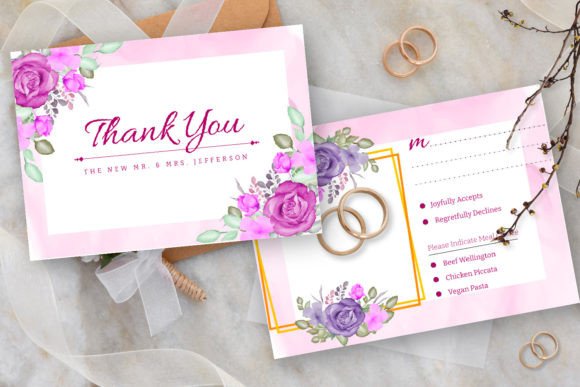
One of the biggest challenges in wedding stationery design—or any brand identity project—is maintaining a cohesive look across multiple pieces. The invitation, RSVP card, details card, envelope liner, menu, program, and thank-you card all need to feel like they belong together without being identical.
A leaf wreath serves as a unifying thread. Use the full wreath on the main invitation, a cropped half-wreath on the RSVP card, and a single sprig pulled from the design on the menu. This approach creates visual rhythm—repetition with variation—that feels sophisticated rather than repetitive.
The same strategy works for small businesses building out their marketing assets. Your logo might feature a full wreath, your business card uses a partial frame, and your Instagram Story templates incorporate leaf accents in the corners. Consistency doesn’t mean copying and pasting the same element everywhere. It means establishing a visual language and applying it thoughtfully.
A Few Final Thoughts on Choosing Design Assets
The design market is saturated with botanical illustrations, clip art bundles, and wreath vectors. What separates a useful asset from a frustrating one comes down to three things: file quality, versatility, and licensing. A high-resolution, recolorable vector with a transparent PNG option checks the first two boxes. For the third, always verify that the license covers your intended use—whether that’s personal projects, client work, or products for sale.
Thanks for visiting my store. Whether you’re a designer building out a wedding stationery suite, a small business owner crafting your brand’s visual identity, or a content creator looking for polished botanical elements, having the right assets on hand makes the creative process smoother and the final result more professional. A well-chosen leaf wreath isn’t just decoration—it’s a design decision that communicates taste, intention, and attention to detail.