Wedding Elements: Your All-in-One Design Toolkit
There’s a special kind of magic in wedding stationery—the way delicate flourishes frame a couple’s names, how elegant icons tell a story of love, and how every detail feels intentionally crafted. For designers and creative entrepreneurs, capturing that romantic, polished aesthetic can be time-consuming, especially when starting from scratch. What if you could access a comprehensive library of professionally designed motifs, borders, and graphics that instantly elevate your projects? This is precisely where a versatile asset like Wedding Elements shines, offering a treasure trove of design components ready to bring your vision to life.
More Than Just Graphics: A Visual Language for Romance
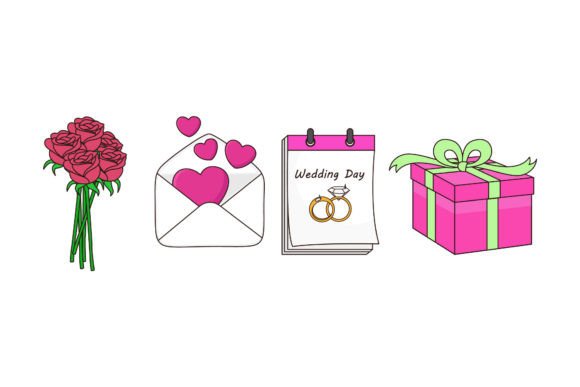
At its core, Wedding Elements is a curated collection of digital design files, but its value lies in the cohesive visual language it provides. Think of it as a premium font family’s visual counterpart—it establishes a consistent aesthetic. The package includes five high-resolution files in AI, EPS, SVG, JPG, and PNG formats, ensuring seamless compatibility with software from Adobe Illustrator to Canva. The 1920x1280px canvas gives you ample workspace, whether you’re designing a full invitation suite or extracting a single, perfect flourish for a social media post.
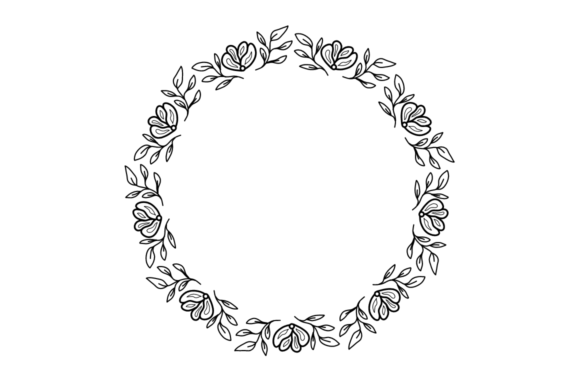
The true appeal isn’t just in the individual pieces—like elegant swashes, floral clusters, or romantic borders—but in how they work together. Using these elements across a project ensures visual harmony. A monogram designed with a particular swirl can be echoed in the border of a thank-you card or the corner detail on a website banner. This kind of visual consistency is the bedrock of strong brand identity, making your work feel professional and intentionally designed, even if you’re not a seasoned illustrator.
From Wedding Invitations to Everyday Branding: Practical Applications
While the name suggests nuptial use, the utility of this toolkit extends far beyond save-the-dates. For packaging design, these elements can add a touch of luxury to product labels for artisanal goods, jewelry boxes, or boutique skincare. Imagine a subtle floral motif from the SVG file used as a debossed detail on a gift box—it immediately communicates quality and care. In editorial design, a well-placed decorative frame can transform a plain blog post graphic into a captivating featured image that boosts reader engagement.
For small business owners and content creators, the applications are boundless:
- Social Media Graphics: Create cohesive Instagram stories, Pinterest pins, and Facebook headers that tell a consistent brand story. Use a decorative divider to separate text sections or a corner flourish to frame a testimonial.
- Digital Products: Design beautiful workbooks, planners, or printable art. The included PNG files with transparent backgrounds are perfect for layering in design apps.
- Marketing Assets: Elevate email newsletter headers, sale announcements, or promotional flyers. A touch of elegant ornamentation can make a discount code feel special rather than transactional.
- Logo Design & Brand Identity: While not a full typeface, these elements can complement a script font or serif font in a logo, adding unique character. They can also define the secondary visual elements of a brand style guide.
Enhancing Your Design Workflow and Professionalism
One of the biggest hurdles in design is the “blank canvas” problem. Having a library of high-quality, editable design assets like this drastically speeds up your workflow. Instead of spending hours searching for the right flourish or drawing a border from scratch, you can drag, drop, and customize. This efficiency is invaluable for freelancers and agencies juggling multiple client projects with tight deadlines.
Beyond efficiency, using polished elements elevates the final product’s perceived value. A client’s brand identity will look more established and trustworthy when its materials feature refined details. For your own projects, it means presenting a professional presentation that builds audience trust and recognition. The consistent use of a specific style of ornament or icon becomes a subtle signature that people begin to associate with quality.
Making It Your Own: Tips for Integration and Customization
The “easy to edit” promise is key. The vector formats (AI, EPS, SVG) are your best friends here. You can resize any element without losing quality, change colors to match a brand palette, or combine pieces to create entirely new compositions. Here’s how to integrate them effectively:
- Match the Mood: Ensure the style of the elements aligns with your project’s personality. Delicate, thin-line florals suit a minimalist, modern aesthetic, while bold, ornate swirls might fit a vintage or luxurious theme.
- Less is More: It’s tempting to use everything, but restraint is crucial. Use a single, powerful flourish as a focal point or a subtle pattern as a background texture. Overloading a design can confuse the viewer and dilute your message.
- Pair Thoughtfully: These graphics are partners to your typography. A highly decorative script font might compete with an equally ornate border. Try pairing a simple sans serif font for body text with an elegant element for headings, or use a handwritten font for a personal touch alongside a clean geometric shape.
- Test for Readability: Always check how your final design looks at various sizes, especially for web and mobile use. Ensure decorative elements don’t crowd text or make it hard to read. The goal is to enhance, not obstruct.
A Smart Investment for the Creative Toolkit
Ultimately, a resource like Wedding Elements is about empowerment. It provides the building blocks to create beautiful, cohesive, and professional-grade designs across a multitude of applications. Whether you’re a wedding stationer looking to expand your offerings, a blogger wanting to beautify your site, or a marketer crafting a brand campaign, having a go-to set of versatile visual assets saves time, inspires creativity, and delivers a consistently polished result. It’s the kind of practical, high-quality asset that earns a permanent spot in a designer’s resource library, ready to add a touch of elegance whenever a project calls for it.